AI · Model-specific setups
Flux.2 — Klein
Faster than SDXL, better than Flux.1 dev — in two variants, for two hardware classes.
The Swiss army knife among diffusion models
My tests started with Flux.2 dev — the flagship of the line, 32 billion parameters, and by everything one reads the current state of the art in AI image generation. On the MacBook Pro with 64 GB unified memory it runs. But at render times around 40 minutes per image, that's not a workflow — that's waiting. Flux.2 dev is simply not made for local operation on ordinary hardware.
Klein 9B was the next step. Smaller, faster — but the encoder for 9B is 16.4 GB, the model itself another nearly 10 GB. Model and encoder have to be in memory at the same time, plus Stability Matrix and a browser. Not practical on 16 GB.
Klein 4B was the surprise. And Klein as a model family has since been my first recommendation for all workflows without ControlNet.
Since October 2026 there's a successor, Flux.3 Klein, which also runs on 16 GB and places image elements via coordinates. I'm testing it — more under 2.3.5 — Flux.3 Klein.
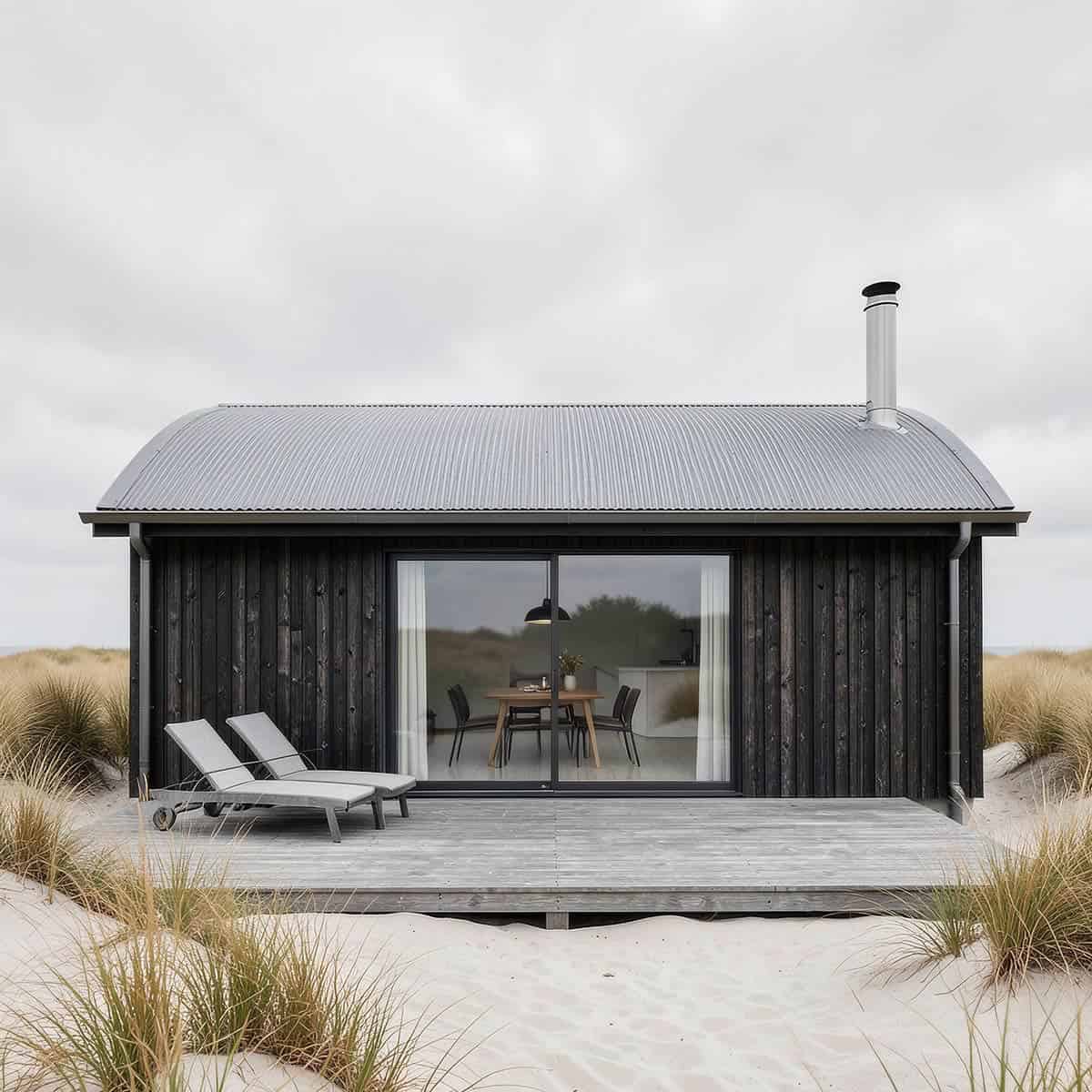
Flux.2 Klein 4B
What Klein is
Klein 4B and 9B are distilled models — trained to reach, in 4 steps, a result equivalent to a full Flux run at 20–25 steps. The speed advantage is not a simplification but a different training logic.
Of each size there are two forms: the distilled 4-step models — the ones meant here — and undistilled base variants (~50 steps, guidance-adjustable), needed only for fine-tuning and LoRA training. At download, be sure to take the distilled variant: the base model delivers only mush at 4 steps.
Both sizes work with the same encoder type: Qwen 3, a large language model. No CLIP, no T5 split, no two-field interface. One text field, continuous prose. The prompt logic from 2.4.3 — Prompts for Flux transfers directly.
The decisive difference between 4B and 9B is not the diffusion model alone — it's the encoder. For 4B: 3.66 GB (Q6) or 8 GB (BF16). For 9B: 16.4 GB in BF16 — larger than the diffusion model itself. That makes 9B a borderline case on 16 GB, and not a recommendable one.
What it delivers
The measurements — all at 1024×1024, warm (models in memory):
| Model | MacBook Pro 64 GB | MacBook Air 16 GB |
| SDXL | 143 s | ~300 s |
| Flux.1 dev | 360 s | — (OOM) |
| Klein 4B | 36 s | 90 s |
| Klein 9B | 75–85 s | — (not practical) |
Klein 4B against Flux.1 dev: factor 10. Against SDXL on the Air: factor 3.3 — on a machine where Flux.1 dev won't even run. Klein 9B is a good twice as long as 4B, but still clearly faster than Flux.1 dev.
What my tests additionally showed: both Klein variants deliver better results than Flux.1 dev — consistently, not as an isolated case. In decorative elements, in light direction, in material transitions. A model with a third of the parameters, computing in a tenth of the time and convincing on quality — that was the real eye-opener of these tests.
Flux.1 dev, at 12 billion parameters, is three times the size of Klein 4B and computes ten times as long. That Klein doesn't fall behind on quality but comes out ahead suggests Flux.2 does something architecturally different — not merely scaled smaller.
4B or 9B?
At first glance the results of the two variants are nearly identical. In detail 9B is more precise — more realistic reflections, finer object shapes, fewer deformations on small free-standing objects. In direct comparison this shows only on zoom: chairs on a terrace, with slightly deformed wheels at 300% view on 4B, consistently precise on 9B.
Whether this difference is visible at output size depends on the subject and the delivery size. For print formats where every detail counts, 9B can be the delivery model — 4B the fast search model before it. The same two-model logic as SDXL and Flux.1 dev today, one generation on.
For 16 GB hardware the decision is easy: Klein 4B. The 9B encoder alone takes 16.4 GB — that's the entire available budget before the diffusion model.
Klein 4B
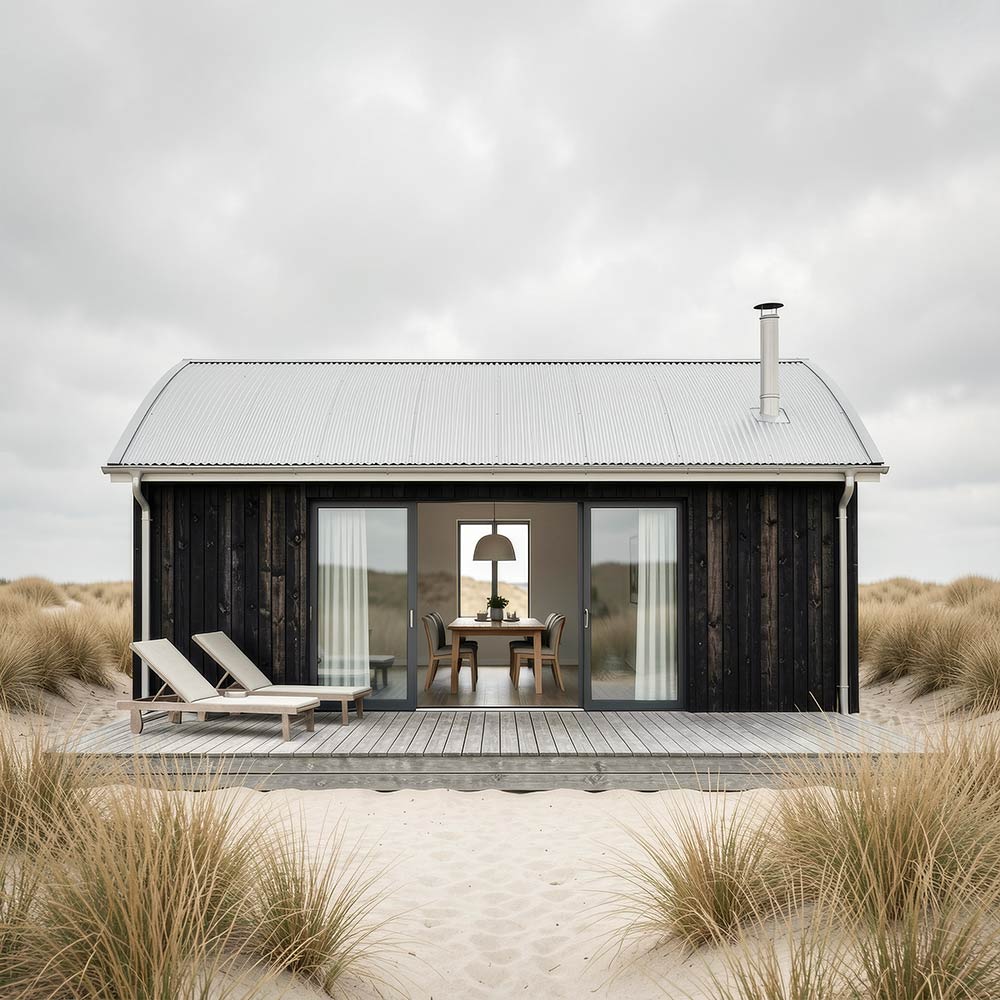
Klein 9B
Setup
Klein 4B — files and target folders
16 GB (MacBook Air) — 90 s warm:
| File | Size | Target folder |
| flux-2-klein-4b-Q8_0.gguf | 4.3 GB | diffusion_models/ |
| Qwen3-4B-UD-Q6_K_XL.gguf | 3.66 GB | text_encoders/ |
| flux2-vae.safetensors | ~335 MB | vae/ |
Total footprint ~8.3 GB. Stability Matrix and browser tabs can stay open — no cleanup needed.
64 GB (MacBook Pro) — 36 s warm:
Same configuration, optionally with qwen_3_4b.safetensors (BF16, 8 GB) instead of the quantized encoder. The diffusion model stays GGUF in every case — so the custom node and the Python package must be installed regardless of the encoder choice.
Klein 9B — files and target folders
Compared to 4B only two files change — VAE, steps, CFG and sampler stay identical. Recommended for 64 GB only.
| File | Size | Target folder |
| flux-2-klein-9b-Q8_0.gguf | 9.98 GB | diffusion_models/ |
| qwen_3_8b.safetensors | 16.4 GB | text_encoders/ |
| flux2-vae.safetensors | ~335 MB | vae/ |
Important: the 9B encoder is a safetensors file, not GGUF — use the normal CLIPLoader for it, not the GGUF loader. The same repository also holds fp8mixed and fp4mixed variants — both unusable on Apple Silicon.
Downloads
| File | Repository |
| flux-2-klein-4b-Q8_0.gguf | unsloth/FLUX.2-klein-4B-GGUF |
| Qwen3-4B-UD-Q6_K_XL.gguf | unsloth/Qwen3-4B-GGUF |
| qwen_3_4b.safetensors (BF16) | Comfy-Org/vae-text-encorder-for-flux-klein-4b → split_files/text_encoders/ |
| flux-2-klein-9b-Q8_0.gguf | unsloth/FLUX.2-klein-9B-GGUF |
| qwen_3_8b.safetensors | Comfy-Org/vae-text-encorder-for-flux-klein-9b → not fp8mixed or fp4mixed! |
| flux2-vae.safetensors | Comfy-Org/flux2-dev → split_files/vae/ |
Nodes in ComfyUI
Klein needs different nodes than Flux.1 dev. The loader follows the file format of the encoder — not the model:
| Task | Node |
| Load diffusion model (4B + 9B) | Unet Loader (GGUF) — not Load Diffusion Model |
| Encoder 4B GGUF | CLIPLoader (GGUF), type = flux2 |
| Encoder 4B BF16 / Encoder 9B | CLIPLoader, type = flux2 |
| Enter text | CLIP Text Encode — not CLIPTextEncodeFlux |
No two-field interface, no clip_l/t5xxl split. One text field.
MPS rule
Anything with fp8 or fp4 in the file name won't run on Apple Silicon — MPS can't compute these formats. The official ComfyUI documentation links exactly these files as the default. Instead: use BF16 or GGUF.
Required step: set up GGUF support
The diffusion model is in GGUF format — a quantization format originally from the LLM world. ComfyUI can't load GGUF files natively; it needs a custom node (ComfyUI-GGUF by city96) and a Python package.
Step 1 — install the Python package
Stability Matrix → ComfyUI package → three-dot menu → Python Packages → + → search gguf → install. This step has to come first.
Step 2 — install the custom node
ComfyUI → Manager → Custom Nodes Manager → search GGUF → install ComfyUI-GGUF by city96. Watch the author — there are knock-offs.
Then stop and restart ComfyUI. Check: right-click on the canvas → Add Node → bootleg → Unet Loader (GGUF) — if the node appears, everything is installed correctly.
The most common error: the custom node installs without an error message but shows up nowhere. The cause is almost always the missing Python package — which is why step 1 comes first. Seen on both test machines — not a special case.
Parameters
Apply to both variants — 4B and 9B. CFG 1.0 means: no working negative prompt. Reformulate the unwanted positively — just like Flux.1 dev, only more strictly.
Steps:      4  (Flux2Scheduler)
CFG:        1.0  (CFG Guider)
Sampler:    euler
Scheduler:  simple
License
With Klein the license hangs on the model size. Flux.2 Klein 4B is under Apache 2.0 — permissive: model and outputs may be used freely, including commercially and in production, without a separate license. Flux.2 Klein 9B (and Flux.2 dev), by contrast, are under the FLUX Non-Commercial License from Black Forest Labs — the same instrument as Flux.1 dev and Krea dev.
For the 9B variant the same distinction applies as for dev and Krea: the generated images belong to the user and may be used and sold for any purpose — the sole exception being the training of a competing model. The commercial or production operation of the model, by contrast, requires a separate license from Black Forest Labs. For the 4B variant this question doesn't arise.
Independent of the model size: AI-generated images are to be labeled as such where applicable by law.
For comparison: Flux.3 Klein is under the new FLUX Kommunity License. It can be used commercially for free only up to 5 million US dollars in annual revenue; above that, a license from Black Forest Labs is required. If you want to work freely without a revenue cap, stay with Flux.2 Klein 4B. Details on the page for 2.3.5 — Flux.3 Klein.
More on this in 2.1.4 — Understanding license models. What governs is the current version on bfl.ai; guidance, not legal advice.
And RAY-L?
Klein convinced me enough that its integration into RAY-L is decided — as soon as ControlNet Canny is available. That's the one open flank: for Klein there is currently no ComfyUI-capable ControlNet Canny, neither for 4B nor for 9B.
What exists doesn't fit: a diffusers-based ControlNet approach for 9B has no ComfyUI node — RAY-L speaks ComfyUI. Another approach mandatorily requires a reference image and fuses its identity with the Canny contour, which is not the same as "geometry fixed, material free". And Flux.2 dev does have ControlNet Canny — but at 40 minutes render time that's no argument.
For RAY-L v1.0, Flux.1 dev and Krea dev remain set — Flux.1 dev as the neutral base, Krea dev as the photographic variant of the same slot, both in the same ControlNet Canny regime (more in the setup article for 2.3.3 — Flux.1 Krea dev). For all workflows without ControlNet — refinements, img2img, free generation — Klein is the first choice from now on. When ControlNet Canny for Klein arrives, the integration arrives.
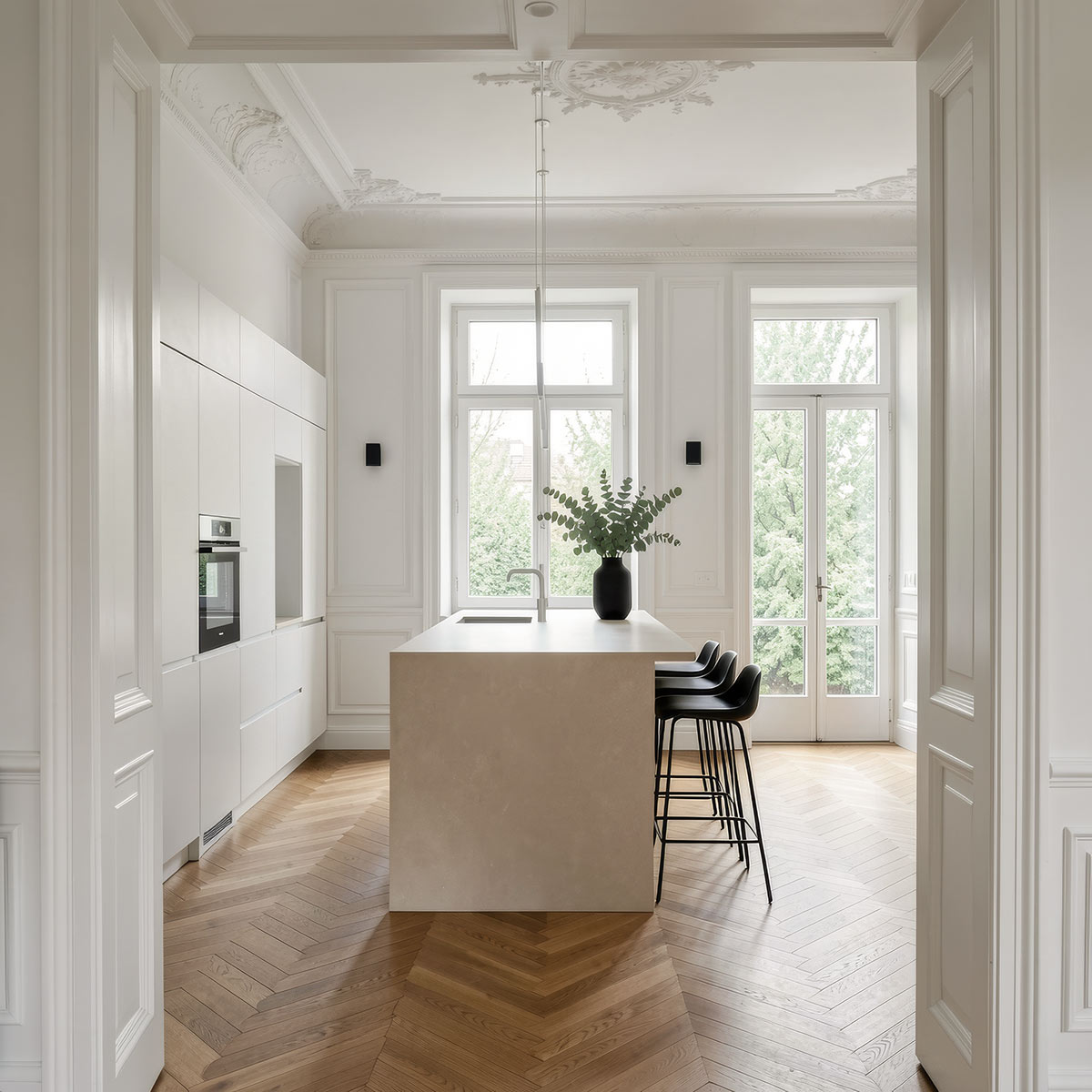
Flux.2 Klein 9B