Pillar 3 · RAY-L
What RAY-L is
RAY-L connects Blender and ComfyUI. It passes the geometry of a Blender scene to an AI image model as an edge structure, via ControlNet Canny — keeping composition, perspective, and object placement exactly intact while the AI interprets materials, light, and atmosphere.
That's the technical description. The real question is a different one: why is this even necessary?
What RAY-L is not: another way to produce impressive AI images. There are already plenty of those, and most of them are the result of negotiating with a system that has its own ideas — sometimes surprisingly good, sometimes surprisingly bad, never really predictable. For hobbyists and quick ideation, that's often enough. For professional image production, it isn't.
What RAY-L is: a way to integrate AI image generation into a workflow that holds up to professional requirements. Not through ever more precise prompts — that approach tries to turn a stochastic system into a deterministic one, taking away exactly what makes the AI strong. Instead, through a deliberate division: what has to be fixed exactly, and what's allowed to be interpreted.
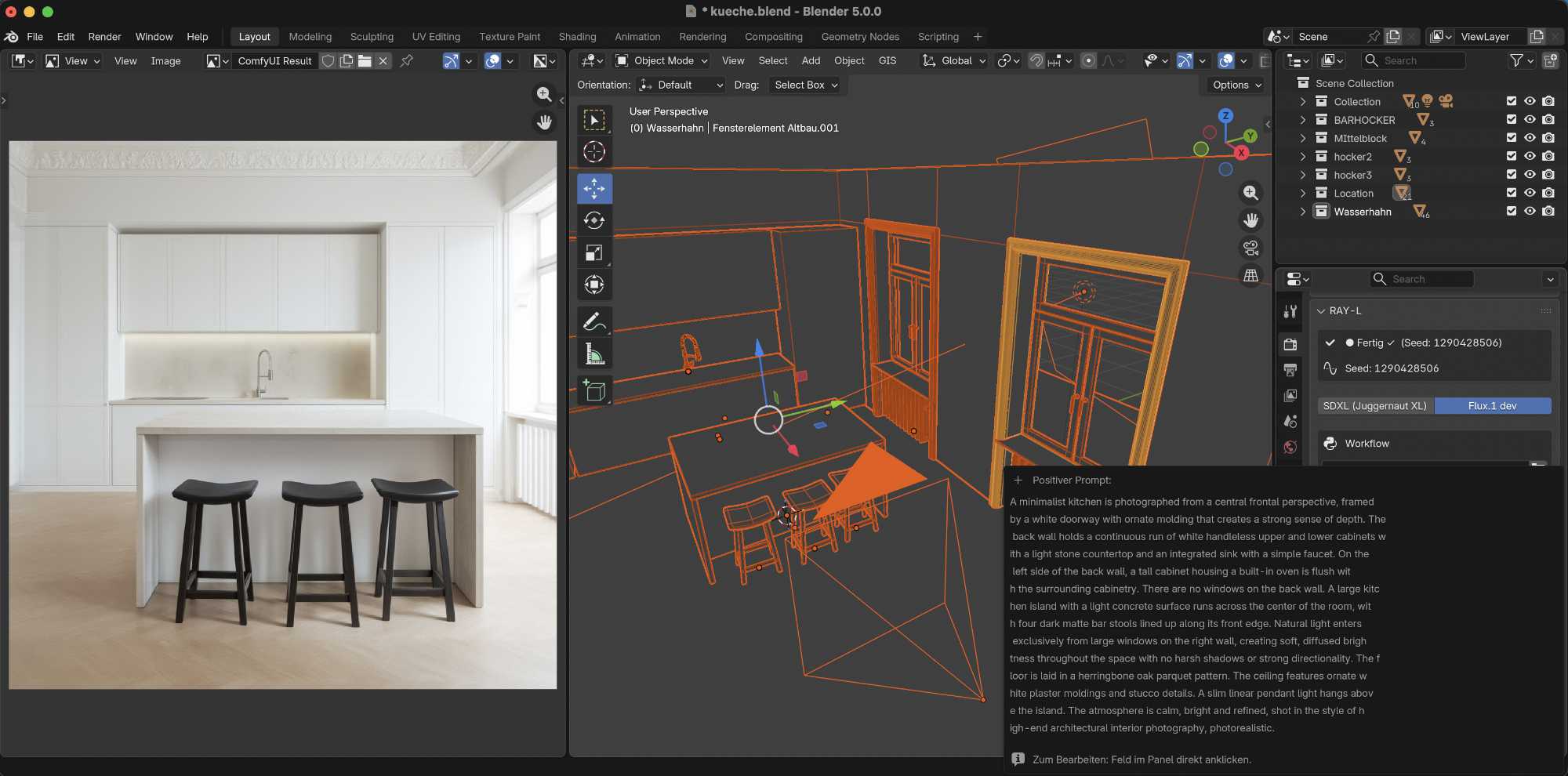
The division RAY-L implements technically
This division isn't a new invention — it's the core principle laid out in detail in the Concept section of this site. RAY-L is the technical implementation of that principle:
Blender determines: camera, perspective, geometry, object placement, spatial relationships. Everything that has to stay exactly the same on repetition — today, in six months, with a different material or a different mood.
The AI interprets: material feel, lighting mood, atmosphere, surface detail. Everything that's allowed to vary from image to image without losing the image's core statement.
RAY-L is the bridge between the two — a Blender add-on that prepares the geometry of the active scene and hands it to ComfyUI, where a diffusion model with ControlNet Canny generates the final image from it.
Why ControlNet Canny
ControlNet Canny transmits edge data exclusively — no light color, no mood, no material information. That exact limitation is why it's the right choice for RAY-L: it gives the AI a binding spatial structure without simultaneously dictating how it visually elaborates that structure.
What sits compositionally correct in Blender sits correct in the result. A weak composition can be compensated atmospherically by the AI — but compensated is not corrected. For an atmospheric image without strict requirements, the AI can save a lot. For a product photo that needs an exact position in the frame, a specific size, and a defined perspective, there's no substitute for that.
Exactly how ControlNet Canny works — and why this variant specifically, rather than another — follows in its own article.
Extensible through your own ComfyUI workflows
RAY-L connects Blender and AI image generation in both directions: it doesn't just drive ComfyUI, it also takes in workflows that are extended there from RAY-L's own workflow.
Since version 0.9, the ComfyUI workflow can be extended with arbitrary nodes, saved as JSON, and imported into RAY-L as an external workflow. At generation time the complete workflow — with all the additional nodes — is used, not just the Canny path.
That keeps the pipeline open to anything ComfyUI can do: an upscaler that outputs the result directly at higher resolution, or an img2img extension that pulls in reference images right away. The deterministic control from Blender stays intact; only the interpreting part grows — by exactly the steps the workflow itself needs.
Who RAY-L is for
RAY-L is for anyone already used to constructing and controlling images systematically: product visualizers, advertising photographers, architectural visualizers, designers, art directors. For people whose question isn't "which model delivers the most impressive random results," but: "how do I produce the same image tomorrow with a different product, in a different mood — reliably, not approximately."
No expert knowledge is required, but a basic understanding of both worlds helps: how Blender works as a composition tool is described in the 3D & Blender section. How diffusion models work and what ControlNet does, in the AI section.
License and responsibility
RAY-L is a bridge, not a model provider. Which AI model is used within RAY-L — and under what license — is the user's own responsibility. More on this in the article on licensing in the AI section.
Current status
The main target platform is Windows with Nvidia hardware — the platform ComfyUI workflows typically run on — but RAY-L runs stably on both platforms, including macOS with Apple Silicon. Windows compatibility is now sufficiently tested: on real hardware down to a seven-year-old card with 8 GB of VRAM.
RAY-L is currently available as a beta in version 0.9, via Gumroad on a pay-what-you-want basis — from $0. Setup is noticeably simpler as a result: earlier versions computed the Canny edges in Blender and required a change to its Python environment that could interfere with other plug-ins. In 0.9 the edges are generated in ComfyUI instead — that step is gone.
Reliably supported right now: SDXL, Flux.1 dev, and Flux.1 Krea dev, each with working ControlNet Canny — confirmed on both platforms. Flux.1 dev is the neutral base here, Krea dev the photographic recommendation for the same slot on an identical pipeline. For Flux.2 dev the Canny adapters already exist, but at around 40 minutes per image it's not an iterative workflow. Next up, in v1.0, comes the depth information from the scene (depth pass). More on this in the AI section, in the article on model types.
The v0.9.1 update follows shortly: in Flux mode the panel gets two prompt fields, one for CLIP-L keywords and one for T5 prose, each routed to the matching encoder. Not yet verified are the quantized GGUF variants of Flux.1 dev and Krea dev — the path that makes the models usable at all on tight memory (a 16 GB Mac, say). If the ongoing test calls for it, v0.9.1 will add GGUF support as well.
What's coming here next
This section will keep growing over the coming weeks — from how ControlNet Canny works in detail, through the complete workflow from Blender to finished image, installation and setup, to guides for further models. The model-specific guides for Flux.1 dev and Krea dev are already available.
To keep up with the current status and new content: the homepage always shows the most recently updated sections.
RAY-L Beta